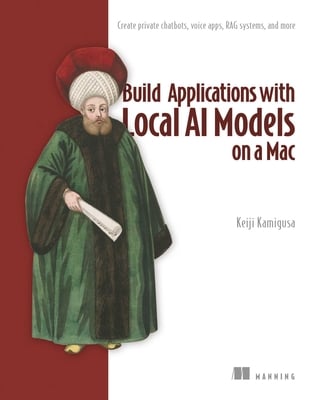
Build Applications with Local AI Models on a Mac: Create Private Chatbots, Voice Apps, Rag Systems, and More
暫譯: 在 Mac 上使用本機 AI 模型建置應用程式:打造私有聊天機器人、語音應用程式、RAG 系統及更多應用
Kamigusa, Keiji
- 出版商: Manning
- 出版日期: 2026-11-03
- 售價: $2,650
- 貴賓價: 9.5 折 $2,517
- 語言: 英文
- 頁數: 296
- 裝訂: Quality Paper - also called trade paper
- ISBN: 1633433706
- ISBN-13: 9781633433700
-
相關分類:
Large language model、語音辨識 Speech-recognition、Python
海外代購書籍(需單獨結帳)
相關主題


商品描述
--C. Scott Anderson, Garmin International Running AI applications on local hardware unlocks architecturally guaranteed privacy, eliminates costly subscriptions and API fees, and gives you the power to tune your models to your exact needs. In Build Applications with Local AI Models on a Mac, author Keiji Kamigusa guides you step-by-step as you build a voice-enabled chatbot that will run on any recent Mac--from a basic Mac mini to a top-of-the-line Mac Studio. As you set up your custom hardware and software stack, you'll experience a powerful paradigm shift that turns you from a passive consumer into an AI architect. The book draws you in immediately with a hands-on project that connects three local technologies: audio capture, speech transcription, and language model inference. You'll start by building the foundation of your chatbot, including command-line navigation and directory management, setting up Homebrew as your package manager, and downloading your first local large language model. Then, you'll quickly review the features that make local AI on the Mac special, such as Apple Silicon's unified memory architecture. You'll also meet a Mac-optimized software suite that includes the Apple-optimized MLX Whisper speech recognition model that offers 100% offline privacy and an integrated voice AI pipeline that runs natively on M-series chips. As you go, you'll explore universal concepts that apply to all AI applications--such as temperature configuration, context windows, and system prompts--and learn how they map to the specific needs of your local Mac environment. The book then guides you through expanding your assistant with Retrieval-Augmented Generation (RAG) and autonomous agents. You will store documents locally in ChromaDB to ground your AI's responses and prevent hallucinations. You'll also learn how to use the Python-based Streamlit framework to customize your chatbot's behavior without writing complex callbacks or HTML. In later chapters, you'll discover how self-hosting models on your Mac provide absolute control over your workflows while keeping your infrastructure completely private. You'll explore the Unsloth-to-Ollama pipeline to fine-tune frontier models on your custom data and how to manage stateless LLMs by implementing explicit history tracking. Reviewer Arun Sivakumar of Expedia Group noted, "The context window and token consumption are valuable details that many LLM users ignore, and concepts like how to fine tune models are highly relevant for day-to-day usage." Spanning 18 chapters, this book provides a complete local AI roadmap. As reviewer C. Scott Anderson of Garmin International points out, this book gives you exactly what you need to see how "the benefits of open-source models can eclipse the economic realities of proprietary models." What's inside - Building a fully offline, voice-enabled assistant
- Completing data privacy with no cloud API fees
- Maximizing Apple Silicon hardware
- Custom Modelfiles, RAG, and local AI agent integration About the reader Perfect for professionals and hobbyists who want to build secure, private, and free AI applications on macOS. No prior programming or AI experience required. About the author Keiji Kamigusa is an authority in AI and machine learning with over 16 years of industry experience. A former CTO of a text mining company, he has created more than 50 courses and taught 59,000+ students. He holds three patents in text analytics and is the founder of AIGYM Inc., specializing in AI-driven corporate training. Table of Contents Part 1
1 Getting started with local AI
2 Installing and using Homebrew
3 Installing and setting up Ollama
Part 2
4 Downloading an LLM and having your first conversation
5 Setting up VS Code and your Python development environment
6 Creating and managing Python virtual environments
7 Controlling LLMs with the Ollama Python library
8 Building a web UI with Streamlit
9 Recording audio and transcribing speech with MLX Whisper
10 Building a voice-enabled AI chat application
11 Managing session state and chat history
Part 3
12 Comparing and selecting LLM models
13 System prompts and parameter tuning
14 Offline LLMs and their benefits
15 Common errors and troubleshooting
16 Advancing to RAG, Web UI, and fine-tuning
17 The open model revolution of 2026
18 Where to go from here
A Command reference
B References and additional resources
商品描述(中文翻譯)
註冊您在 Manning 購買的紙本書,即可免費取得電子書。
「技術建議的寶庫,提供可立即實行的專案構想與學習資源。」
--C. Scott Anderson,Garmin International
在本機硬體上執行 AI 應用程式,不僅能取得由架構保證的隱私性、免除昂貴的訂閱與 API 費用,還能讓您依照確切需求調整模型。在《Build Applications with Local AI Models on a Mac》中,作者 Keiji Kamigusa 將逐步引導您建立一個具備語音功能的聊天機器人。這個聊天機器人可以在任何近期推出的 Mac 上執行,從基本款的 Mac mini 到頂級的 Mac Studio 都沒問題。當您設定自訂的硬體與軟體技術堆疊時,將體驗一場強大的典範轉移,從被動的 AI 使用者轉變為 AI 架構師。
本書一開始就透過實作專案帶您串接三項本機技術:音訊擷取、語音轉錄,以及語言模型推論。您將從建立聊天機器人的基礎開始,包括命令列導覽與目錄管理、設定 Homebrew 作為套件管理器,以及下載第一個本機大型語言模型(large language model,LLM)。接著,您會快速了解讓 Mac 上的本機 AI 別具特色的功能,例如 Apple Silicon 的統一記憶體架構。您也將認識一套針對 Mac 最佳化的軟體組合,其中包括針對 Apple 最佳化的 MLX Whisper 語音辨識模型。這套模型可提供完全離線的隱私保護,以及能在 M 系列晶片上原生執行的整合式語音 AI 管線。
在學習過程中,您將探索適用於所有 AI 應用程式的通用概念,例如溫度設定、上下文視窗與系統提示,並了解如何將這些概念對應到本機 Mac 環境的特定需求。接著,本書將引導您使用檢索增強生成(Retrieval-Augmented Generation,RAG)與自主代理擴充助理功能。您會將文件儲存在本機的 ChromaDB 中,為 AI 的回應提供依據並避免產生幻覺。此外,您也將學習如何使用以 Python 為基礎的 Streamlit 框架,在不撰寫複雜回呼或 HTML 的情況下,自訂聊天機器人的行為。
在後續章節中,您將了解如何在 Mac 上自行託管模型,以便完全掌控工作流程,同時維持基礎架構的完整隱私。您將探索 Unsloth-to-Ollama 管線,使用自訂資料微調前沿模型;也會透過實作明確的歷史記錄追蹤,學習如何管理無狀態的 LLM。Expedia Group 的評論者 Arun Sivakumar 指出:「上下文視窗與 token 消耗是許多 LLM 使用者忽略的重要細節,而如何微調模型等概念,對日常使用而言極具關聯性。」
本書共 18 章,提供完整的本機 AI 學習路線圖。Garmin International 的評論者 C. Scott Anderson 指出,本書提供您所需的一切,讓您了解「開放原始碼模型的優勢如何超越專有模型的經濟現實」。
內容包括
- 建立完全離線且具備語音功能的助理
- 不使用雲端 API,完整實現資料隱私
- 發揮 Apple Silicon 硬體的最大效能
- 自訂 Modelfile、RAG,以及整合本機 AI 代理
適合讀者
本書非常適合希望在 macOS 上建立安全、私密且免費 AI 應用程式的專業人士與業餘愛好者。不需要具備程式設計或 AI 經驗。
關於作者
Keiji Kamigusa 是 AI 與機器學習領域的專家,擁有超過 16 年的業界經驗。他曾擔任文字探勘公司的 CTO,製作過超過 50 門課程,並教授超過 59,000 名學生。他擁有三項文字分析相關專利,也是 AIGYM Inc. 的創辦人,專門提供 AI 驅動的企業培訓。
目錄
第 1 部分
1 開始使用本機 AI
2 安裝與使用 Homebrew
3 安裝與設定 Ollama
第 2 部分
4 下載 LLM 並進行第一次對話
5 設定 VS Code 與 Python 開發環境
6 建立與管理 Python 虛擬環境
7 使用 Ollama Python 函式庫控制 LLM
8 使用 Streamlit 建立網頁 UI
9 使用 MLX Whisper 錄製音訊與轉錄語音
10 建立具備語音功能的 AI 聊天應用程式
11 管理工作階段狀態與聊天記錄
第 3 部分
12 比較與選擇 LLM 模型
13 系統提示與參數調校
14 離線 LLM 及其優點
15 常見錯誤與疑難排解
16 進階學習 RAG、網頁 UI 與微調
17 2026 年的開放模型革命
18 接下來的學習方向
A 命令參考
B 參考資料與其他資源
作者簡介
作者簡介(中文翻譯)
Keiji Kamigusa 是 AI 與機器學習領域的權威,擁有超過 16 年的業界經驗。他曾任文字探勘公司 CTO,為 50 多家公司部署在地語言模型,透過 42 門 Udemy 課程教授超過 42,000 名學生,並著有 50 多本 AI 相關書籍。他擁有 3 項文字分析專利,並創立 AIGYM Inc.,專注於 AI 驅動的企業培訓與代理程式管理平台。