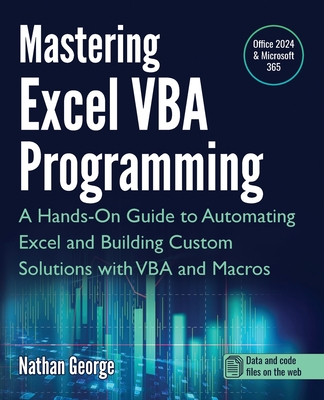
Mastering Excel VBA Programming: A Hands-On Guide to Automating Excel and Building Custom Solutions with VBA and Macros
暫譯: 精通 Excel VBA 程式設計:自動化 Excel 與使用 VBA 和巨集建立自訂解決方案的實用指南
George, Nathan
- 出版商: Gtech Publishing
- 出版日期: 2025-02-21
- 售價: $1,400
- 貴賓價: 9.5 折 $1,330
- 語言: 英文
- 頁數: 506
- 裝訂: Quality Paper - also called trade paper
- ISBN: 1915476143
- ISBN-13: 9781915476142
-
相關分類:
Excel
海外代購書籍(需單獨結帳)
商品描述
Leverage the full power of Excel with VBA
This guide will provide you with all the information you need to automate any task in Excel and save time and effort. Learn how to extend Excel's functionality with VBA to create solutions not possible with the standard features.
Mastering Excel VBA Programming takes you from beginner to expert in Excel VBA. This book starts with the basics, so you don't need prior programming experience to start learning how to create solutions with Excel VBA. If you already have some experience with this popular application, this book will enhance your knowledge and experience.
Practical examples for hands-on learning
Mastering Excel VBA Programming is a practical guide, and it comes with several practice labs and downloadable solution files that enable you to follow the examples in the book hands-on. Screenshots illustrate the concepts, features, and tasks covered.
This book covers Excel 2024 and the latest version of Excel for Microsoft 365 (2025 update).
With this book, you will:
- Quickly use Excel macros to automate repetitive tasks.
- Master VBA fundamentals including variables, arrays, decision structures, and loops.
- Use debugging tools to eliminate even the most difficult-to-find errors.
- Learn efficient techniques for handling unexpected errors and providing users with clear custom messages.
- Understand the Excel objects hierarchy and how to access and use Excel objects in code.
- Programmatically create and manipulate workbooks and worksheets.
- Use the Range object to access worksheet cells and ranges to work with data and worksheet formulas.
- Create sophisticated custom dialog boxes and data entry forms with UserForms.
- Access and use external data from Microsoft Access and SQL Server with ActiveX Data Objects (ADO).
- Programmatically generate charts and pivot tables for visualizations and summarizing large sets of data for presentations and analysis.
- Create User-Defined Functions (UDFs) for custom calculations.
- Convert your VBA application to an Excel Add-in to deploy to users.
商品描述(中文翻譯)
充分利用 Excel 的 VBA 功能
本指南將提供您自動化 Excel 中任何任務所需的所有資訊,幫助您節省時間和精力。學習如何使用 VBA 擴展 Excel 的功能,創建標準功能無法實現的解決方案。
精通 Excel VBA 程式設計 讓您從 Excel VBA 的初學者成為專家。本書從基礎開始,因此您不需要先前的程式設計經驗即可開始學習如何使用 Excel VBA 創建解決方案。如果您已經對這個流行的應用程式有一些經驗,本書將增強您的知識和經驗。
實用範例以便於實作學習
精通 Excel VBA 程式設計 是一本實用指南,並附有多個實作實驗室和可下載的解決方案檔案,讓您能夠親自跟隨書中的範例。螢幕截圖說明了所涵蓋的概念、功能和任務。
本書涵蓋 Excel 2024 及 Microsoft 365 的最新版本 Excel(2025 更新)。
透過本書,您將能夠:
- 快速使用 Excel 巨集自動化重複性任務。
- 掌握 VBA 基礎知識,包括變數、陣列、決策結構和迴圈。
- 使用除錯工具消除即使是最難以發現的錯誤。
- 學習處理意外錯誤的有效技術,並為使用者提供清晰的自訂訊息。
- 了解 Excel 物件層級結構,以及如何在程式碼中訪問和使用 Excel 物件。
- 以程式方式創建和操作工作簿及工作表。
- 使用 Range 物件訪問工作表單元格和範圍,以處理數據和工作表公式。
- 使用 UserForms 創建複雜的自訂對話框和數據輸入表單。
- 使用 ActiveX Data Objects (ADO) 訪問和使用來自 Microsoft Access 和 SQL Server 的外部數據。
- 以程式方式生成圖表和樞紐分析表,以便於可視化和總結大量數據以進行報告和分析。
- 創建自定義計算的使用者定義函數 (UDFs)。
- 將您的 VBA 應用程式轉換為 Excel 加載項以部署給使用者。