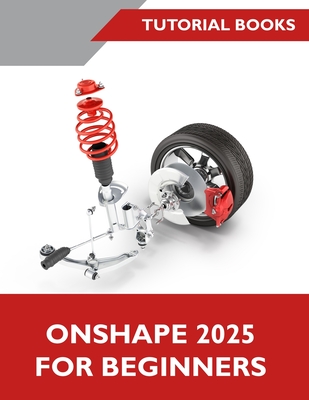
Onshape 2025 For Beginners (COLORED)
暫譯: Onshape 2025 初學者指南(彩色版)
Tutorial Books
- 出版商: Kishore
- 出版日期: 2025-10-21
- 售價: $2,210
- 貴賓價: 9.5 折 $2,099
- 語言: 英文
- 頁數: 336
- 裝訂: Quality Paper - also called trade paper
- ISBN: 8199428910
- ISBN-13: 9788199428911
-
相關分類:
製圖軟體應用
海外代購書籍(需單獨結帳)
相關主題


商品描述
A Step-by-Step Guide to 3D Modeling with Onshape
Onshape for Beginners provides a practical introduction to the essentials of Onshape using step-by-step instructions. Starting with the basics of the user interface, this book guides you through the process of creating 2D sketches and developing them into 3D models and technical drawings.
Key Skills Covered
- The Onshape Environment: Get started with a brief introduction to the Onshape user interface, including the toolbar, commands, and various options.
- 2D Sketching Fundamentals: Learn to create 2D sketches on the Front, Top, and Right planes. You will use core sketching tools like line, rectangle, and circle, and modify your sketches with commands such as trim, extend, and fillet. Apply constraints and dimensions to control the shape and size of your geometry.
- Creating 3D Parts: Convert 2D sketches into 3D geometry using features like Extrude and Revolve. You will combine or subtract features to build your final part and add placed features like fillets and holes for additional detail.
- Additional Modeling Tools: Utilize mirroring and patterning commands to create repetitive features efficiently. This section also covers how to work with multi-body parts and modify part geometry by editing sketches and feature parameters.
- Building Assemblies: Learn two methods for creating assemblies: the Bottom-up approach, where you add constraints to existing components, and the Top-down approach, where you create parts within the assembly environment. You will also create exploded views to show how an assembly is constructed.
- Generating Drawings: Produce drawings for both parts and assemblies. You will learn to insert part views, add dimensions and annotations, and, for assemblies, include a Bill of Materials (BOM) with balloons.
商品描述(中文翻譯)
使用 Onshape 進行 3D 建模的逐步指南
Onshape 初學者指南透過逐步說明,實用地介紹 Onshape 的基本要領。本書從使用者介面的基礎開始,帶領您建立 2D 草圖,並進一步將其製作成 3D 模型與工程圖。
涵蓋的主要技能
• Onshape 環境:簡要介紹 Onshape 使用者介面,包括工具列、指令與各種選項,協助您快速入門。
• 2D 草圖基礎:學習如何在 Front、Top 與 Right 平面上建立 2D 草圖。您將使用直線、矩形與圓等核心草圖工具,並透過 trim、extend 與 fillet 等指令修改草圖。套用幾何約束與尺寸,以控制幾何圖形的形狀與大小。
• 建立 3D 零件:使用 Extrude 與 Revolve 等特徵,將 2D 草圖轉換為 3D 幾何。您將組合或扣除不同特徵,以建立最終零件,並加入 fillet 與孔洞等放置特徵,呈現更多細節。
• 其他建模工具:運用鏡射與陣列指令,有效率地建立重複特徵。本節也涵蓋多實體零件的處理方式,以及透過編輯草圖與特徵參數來修改零件幾何。
• 建立組合件:學習建立組合件的兩種方法:Bottom-up 方法,將約束加入現有元件;以及 Top-down 方法,直接在組合件環境中建立零件。您也將建立爆炸視圖,以展示組合件的組成方式。
• 產生工程圖:為零件與組合件產生工程圖。您將學習插入零件視圖、加入尺寸與註解;針對組合件,還能加入含有氣泡標註的材料清單(Bill of Materials,BOM)。