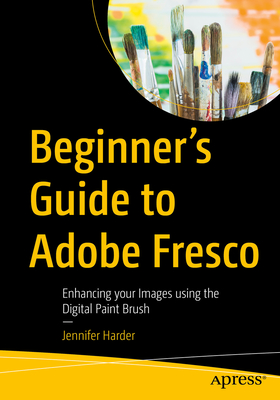
Beginner's Guide to Adobe Fresco: Enhancing Your Images Using the Digital Paint Brush
暫譯: Adobe Fresco 初學者指南:使用數位畫筆增強您的影像

Harder, Jennifer
  • 出版商: Apress
  • 出版日期: 2025-08-02
  • 售價: $2,260
  • 貴賓價: 9.5$2,147
  • 語言: 英文
  • 頁數: 698
  • 裝訂: Quality Paper - also called trade paper
  • ISBN: 9798868815560
  • ISBN-13: 9798868815560
  • 相關分類: Painter
  • 海外代購書籍(需單獨結帳)

相關主題

商品描述

Explore your creative side using a combination of vector and raster (pixilated) layers and brushes with Adobe Fresco to create your digital painting effects, enhance your designs, or create a simple GIF animation. Fresco is a unique drawing application added to the Adobe Creative Cloud suite in 2019.

If you are not familiar with Fresco, you may want to know what its practical applications are for your next design project. This book will explore how Fresco can be used as a stand-alone creative application using its various tools and panels. However, we will also look at how to import your current artwork created with other Adobe Applications like Photoshop into Fresco to enhance the design. Later we will look at Fresco's basic animation options as well. Finally, we will look at Export options so that you can use the final files for projects and share them with other Adobe applications outside of the Creative Cloud desktop file folder.

You will discover that Fresco is a great application to add to your "tool belt" of knowledge when your clients ask that additional artistic brush effects be applied to a project. You will also see the various similarities between it, Photoshop, and Illustrator.

You Will

    Master use of Tools and Panels to enhance your artwork in a new document Discover the many brush options available within Fresco Find out how to import artwork into Fresco to edit Learn to create a GIF animation within the Fresco application Grasp how to export your completed artwork for other Adobe applications
Who Is This Book For

This book is ideal for beginners; however, some prior experience with using Photoshop and Illustrator to create or color correct the main images before importing is useful. Some information will be briefly discussed regarding these Adobe applications as it specifically applies to Fresco.

Students and graphic designers who want to add further brush embellishments to their projects while working with Fresco and other Adobe applications.

商品描述(中文翻譯)

探索您的創意,使用 Adobe Fresco 的向量和光柵(像素化)圖層及畫筆的組合,創造數位繪畫效果、增強設計或創建簡單的 GIF 動畫。Fresco 是一款獨特的繪圖應用程式,於 2019 年加入 Adobe Creative Cloud 套件。

如果您對 Fresco 不熟悉,您可能想知道它在您下一個設計專案中的實際應用。本書將探討如何使用 Fresco 的各種工具和面板作為獨立的創意應用程式。然而,我們也會看看如何將您使用其他 Adobe 應用程式(如 Photoshop)創建的當前藝術作品導入 Fresco,以增強設計。稍後我們還會探討 Fresco 的基本動畫選項。最後,我們將查看導出選項,以便您可以將最終文件用於專案並與 Creative Cloud 桌面文件夾外的其他 Adobe 應用程式共享。

您將發現 Fresco 是一個很好的應用程式,可以添加到您的「工具帶」中,當客戶要求在專案中應用額外的藝術畫筆效果時。您還會看到它與 Photoshop 和 Illustrator 之間的各種相似之處。

您將學會


    掌握工具和面板的使用,以增強新文件中的藝術作品
    發現 Fresco 中可用的多種畫筆選項
    了解如何將藝術作品導入 Fresco 進行編輯
    學習在 Fresco 應用程式中創建 GIF 動畫
    掌握如何將完成的藝術作品導出到其他 Adobe 應用程式

本書適合誰
本書非常適合初學者;然而,對於使用 Photoshop 和 Illustrator 創建或調整主要圖像的先前經驗會有所幫助。將簡要討論一些與這些 Adobe 應用程式相關的信息,特別是與 Fresco 的應用。

學生和圖形設計師希望在使用 Fresco 和其他 Adobe 應用程式時,為他們的專案添加進一步的畫筆裝飾。

作者簡介

Jennifer Harder has worked in the graphic design industry for over fifteen years. She has a degree in graphic communications and is currently teaching Acrobat, and Adobe Creative Cloud courses at Langara College. She is also author of several Apress books and related videos.

作者簡介(中文翻譯)

Jennifer Harder 在平面設計產業工作超過十五年。她擁有平面傳播的學位,目前在 Langara College 教授 Acrobat 和 Adobe Creative Cloud 課程。她也是幾本 Apress 書籍及相關影片的作者。