相關主題

商品描述
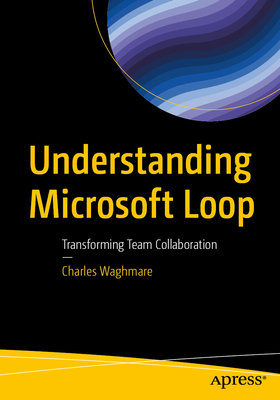
Unlock the future of collaboration with this book on Microsoft Loop, Microsoft's dynamic co-creation platform. This book takes you on a journey from setting up your first workspace to leveraging Loop's powerful real-time collaboration tools and integrations with Microsoft 365 apps like Teams and Outlook.
Each chapter offers hands-on insights into managing Loop components, customizing advanced features, and integrating seamlessly into your daily workflows. Whether you're exploring Kanban boards and page linking or establishing best practices for project collaboration, this book equips you with the skills and strategies to maximize productivity and work smarter.
After reading this book, you will be able to create, share, and manage Loop components effectively.
What You Will Learn:
- Loop integration with other Microsoft 365 tools like Teams, Outlook, and OneNote
- Benefits of using Loop for team collaboration and productivity
- Understanding advanced strategies for maximizing productivity and collaboration using Loop
- Tips and tricks to get the most out of Microsoft Loop
- Best practices for adopting Microsoft Loop
Who This Book Is For:
Project managers and IT professionals for implementing and managing Microsoft 365 tools within their organization.
商品描述(中文翻譯)
解鎖協作的未來,透過這本關於 Microsoft Loop 的書籍,這是微軟的動態共同創作平台。本書將帶您從設置第一個工作區開始,利用 Loop 強大的即時協作工具以及與 Microsoft 365 應用程式(如 Teams 和 Outlook)的整合。
每一章都提供了有關管理 Loop 元件、客製化進階功能以及無縫整合到日常工作流程的實用見解。無論您是在探索看板(Kanban)和頁面連結,還是建立專案協作的最佳實踐,本書都將為您提供技能和策略,以最大化生產力並更有效率地工作。
閱讀完本書後,您將能夠有效地創建、分享和管理 Loop 元件。
您將學到的內容:
- Loop 與其他 Microsoft 365 工具(如 Teams、Outlook 和 OneNote)的整合
- 使用 Loop 進行團隊協作和提高生產力的好處
- 理解使用 Loop 最大化生產力和協作的進階策略
- 獲取充分利用 Microsoft Loop 的技巧和竅門
- 採用 Microsoft Loop 的最佳實踐
本書適合對象:
專案經理和 IT 專業人員,負責在其組織內實施和管理 Microsoft 365 工具。
作者簡介
Charles Waghmare works for a global energy leader since 2019 as a Business Analyst in the Microsoft 365 space. Before that, he worked at Capgemini for eight years in various roles, including Yammer Community Manager and manager of the Drupal-based Enterprise Knowledge Management system. He also developed a knowledge management platform for the Digital Customer Experience (DCX) organization using SharePoint Online to manage Client references and knowledge assets related to Artificial Intelligence and customer experience (CX), using Microsoft Azure Chatbots to automate processes, develop proactive conversations with users, and create new use cases.
Charles also worked for ATOS (erstwhile SIEMENS Information Systems limited) for five years. During his tenure there, he was Community Manager of SAP-based communities, where he utilized Technoweb 2.0 - a Yammer-like platform and on-premises SharePoint. Also, Charles was global rollout manager for a structured document-management system built in on-premises SharePoint.
作者簡介(中文翻譯)
查爾斯·瓦格馬(Charles Waghmare)自2019年以來在一家全球能源領導企業擔任商業分析師,專注於Microsoft 365領域。在此之前,他在Capgemini工作了八年,擔任過多個職位,包括Yammer社群經理和基於Drupal的企業知識管理系統經理。他還為數位客戶體驗(Digital Customer Experience, DCX)組織開發了一個知識管理平台,使用SharePoint Online來管理與人工智慧和客戶體驗(CX)相關的客戶參考資料和知識資產,並利用Microsoft Azure Chatbots自動化流程,與用戶展開主動對話,創建新的使用案例。
查爾斯還曾在ATOS(前身為西門子資訊系統有限公司)工作五年。在任職期間,他擔任基於SAP的社群的社群經理,利用Technoweb 2.0(一個類似Yammer的平台)和本地部署的SharePoint。此外,查爾斯還擔任基於本地部署的SharePoint構建的結構化文檔管理系統的全球推廣經理。


